
Published by the Seedreampro.co team. This is a first-party test record, not an independent benchmark or a customer testimonial. One output cannot establish typical quality or reliability.
Test 01: a simple product-style image
- Run date
- October 18, 2026
- Model and mode
- Seedream 5.0 Pro · text to image
- Settings
- 1K · 1:1 · PNG · one image · no reference images
- Evidence scope
- One saved output. No comparative sample, latency series or pass-rate claim.
A single small green plant in a white ceramic pot, warm natural window light, clean beige background, product photograph.
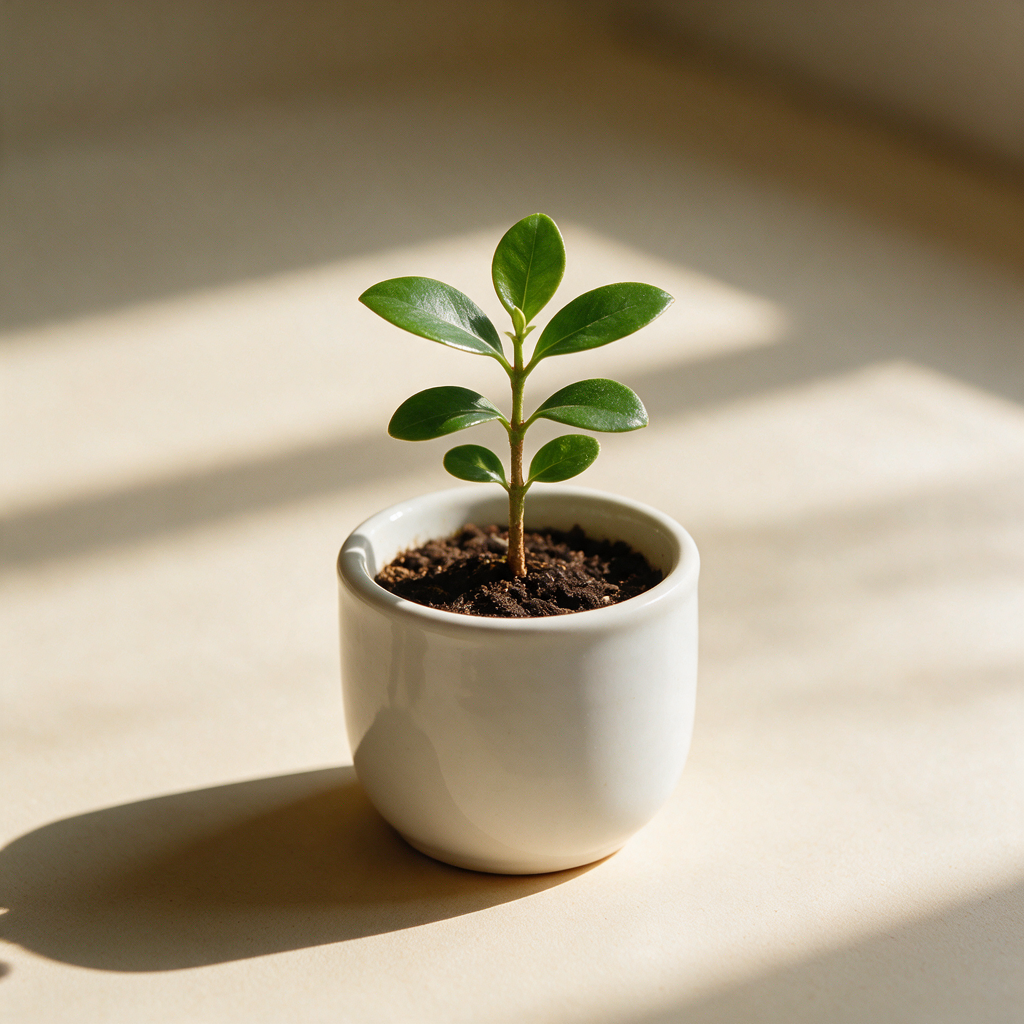
Evaluation coverage and limits
- Product composition: one published text-to-image result, not a reference-preservation test.
- Background replacement: no controlled before/after result published here yet.
- Character consistency: no multi-image identity test published here yet.
- English and Chinese lettering: no scored text-accuracy sample published here yet.
- Video and motion: no timed, same-prompt comparison published here yet.
How to repeat a useful comparison
- Record the model, route, date, prompt, references, resolution and all settings.
- Run the same brief more than once and keep unsuccessful results as well as selected examples.
- Check subject identity, prompt compliance, text accuracy and visible artifacts against a written rubric.
- Record actual charged credits, elapsed time and any editing. Do not report a winner from one hand-picked output.
Try the product-photography guide or use the text-rendering checklist. Repeating a test can consume credits; check the workspace quote first.